


Description
Product Overview
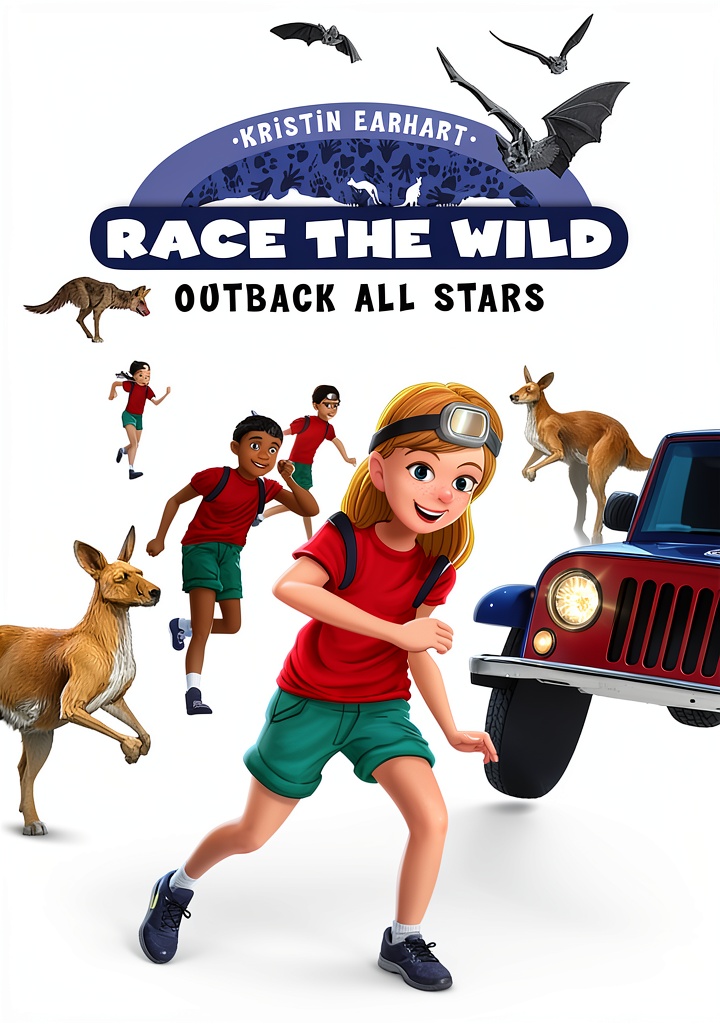
Race the Wild Book 5, part of Scholastic Paperbacks’ popular series, brings a lively animal adventure to young readers. The Kindle eBook includes 93 pages of colorful text, enhanced typesetting for clear display, and Word Wise to simplify challenging words. With a file size of 13.8 MB, it loads quickly and supports screen readers for accessibility.
Usage
Ideal for bedtime stories, classroom reading circles, or independent practice, this eBook fits tablets, phones, and Kindle devices. Parents and teachers can enable Word Wise to aid comprehension for children aged 4‑8, while the enhanced layout ensures comfortable reading on any screen.
Why Choose Us
Scholastic’s reputation for quality children’s literature guarantees age‑appropriate content and engaging narratives. The eBook’s enhanced typesetting reduces eye strain, and the built‑in screen reader support makes it accessible for all learners. Backed by a 4.8‑star rating from over 100 reviewers, it reflects consistent satisfaction.
Key Features
- Enhanced typesetting provides crisp, easy‑to‑read text on any device
- Word Wise highlights difficult words, boosting confidence for early readers
- Supported screen reader ensures accessibility for children with visual needs
- Compact 13.8 MB file size allows quick download and offline reading
- Responsive customer support and easy Kindle updates for a hassle‑free experience
FAQ
Is this eBook suitable for independent reading?
Yes, the enhanced layout and Word Wise features are designed to help children read on their own with minimal assistance.
Can I read this on a non‑Kindle tablet?
Absolutely. The Kindle app is available for iOS, Android, and PC, allowing flexible device use.
What age range is recommended?
The book targets readers aged 4‑8, aligning with preschool to early elementary reading levels.
Does the eBook include any interactive elements?
It offers page‑flip navigation and adjustable font sizes, but no additional multimedia content.
How do I enable Word Wise?
Open the book on your Kindle device or app, go to Settings, and toggle the Word Wise option to your preferred level.





Reviews
There are no reviews yet.